
Carousel · 9 slides
Worktrees — experiments that can't break main
dev-new mints a complete second copy of the project. The folder you trust never moves. As posted on TikTok, Instagram, and LinkedIn — the full story, one slide per card.
Let Claude break things — in a folder that doesn't matter.
dev-new mints a complete second copy of the project. The folder you trust never moves.
A second body, same memory.
git worktree add attaches another working directory to the same repository. Same history, same commits, same remotes — but its own files, its own HEAD, its own branch. Creation takes about a second.
Worktrees sit next to their project.
$ ls
awesome-site
awesome-site@experiment
client-portal
A full, real checkout sharing the original's .git store — not a copy. The @ reads as 'branch of' at a glance, and dev-done can split it back into repo and branch mechanically.
This folder is the safety net for dangerous mode.
The worst realistic outcome — mangled files, deleted directories, nonsense commits — is confined to a disposable checkout and a branch you can refuse to merge. Blast-radius containment is what makes high autonomy sane.
Four chores behind one fuzzy pick.
zellij kill-session "$session_name"
zellij delete-session "$session_name"

git -C "$repo_dir" merge --no-edit "$branch"
git -C "$repo_dir" worktree remove "$worktree_dir" --force
git -C "$repo_dir" branch -d "$branch"
Session killed, branch merged, folder removed, branch deleted — in that order, and only if the merge succeeds. Skip any one by hand and your picker fills with zombie @ folders within a week.
When both sides edited the same lines, it stops.
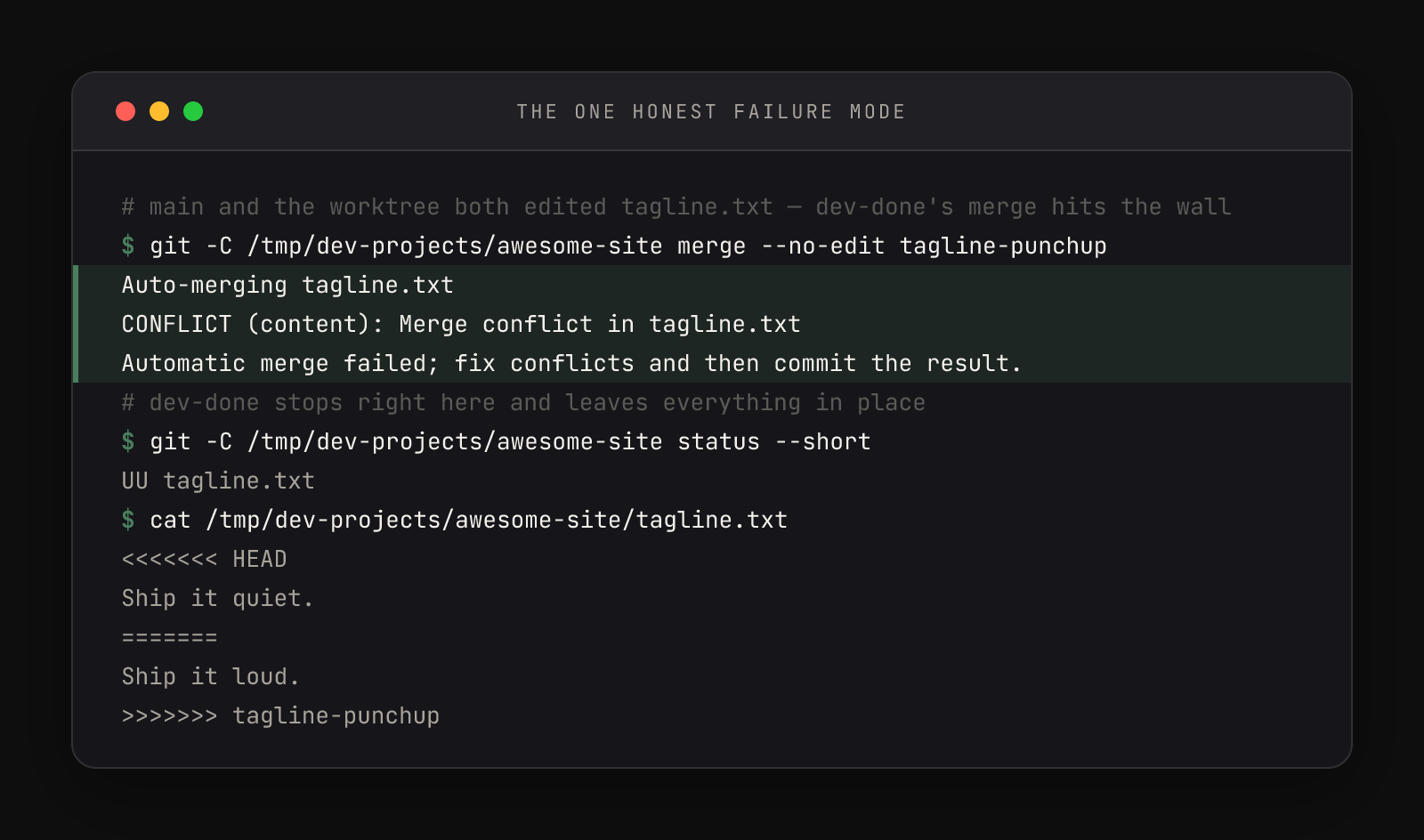
Git stages the disagreement in the file — both versions between <<<<<<< and >>>>>>> markers — and waits for a human. Nothing lost, nothing merged.
Resolve, commit, run it again.
# edit the file by hand - keep one version,
# delete the markers
$ git add tagline.txt
$ git commit --no-edit
[main 4dc43c0] Merge branch 'tagline-punchup'
$ git merge --no-edit tagline-punchup
Already up to date.
Then dev-done again, same worktree: the merge prints 'Already up to date.' and the cleanup it skipped proceeds.
The experiment lifecycle.
- dev-new — pick a project, name the branch
- Experiment at full autonomy inside {project}@{branch}
- Commit inside the worktree — dev-done merges commits, not loose edits
- dev-done — merge, remove, delete, all cleaned up
- Conflict? Resolve in the main folder, run dev-done again
One idea from one lesson.
Track 1 (23 lessons) is free.