
Setup · 5 min
How to install Claude Code on macOS
Installing Claude Code on a Mac is one npm command, one browser login, and about ten minutes — at the end of which Claude has read a folder on your machine and told you what it found. The mechanics are simple. The one real trap is financial: log in with the wrong account type and you pay per token without noticing. Here's the install, the verification, the first request, and that trap, in order.
A program like any other
Strip the mystique: claude is one more text program living in the same world as ls and git. The npm package pulls down a native binary built for your Mac's chip and links it onto your PATH — the docs are explicit that the installed binary doesn't even run through Node; Node 18+ is only npm's own requirement for performing the install. And like any other command, command -v claude will answer with the file's address on disk once it's there.
Install Claude Code in five steps
Five steps, and only the fourth needs your full attention — that's where the money decision hides. One note on step 4's "go somewhere real first": Claude Code works on the directory you launch it from, so starting in an actual project folder is what gives the first request something to read.
- 01Check for Node. Run
node --version— anything 18 or newer works. No Node at all? One line fixes it:brew install node. Skip the version-manager rabbit hole; you can explore that another year. - 02Install globally:
npm install -g @anthropic-ai/claude-code— and never withsudo. The docs warn that root installs create permission problems that haunt every update after. - 03Verify:
claude --versionshould answer2.1.175 (Claude Code)or newer. - 04Launch and log in — with the subscription. Go somewhere real first —
cdinto an actual project folder — then runclaude. First launch walks you through one-time choices, then sends you to the browser to sign in. Choose your Claude.ai account — the Pro or Max subscription — not "Claude Console." Console is API billing: it works identically and then charges per token. If the browser doesn't open, presscto copy the login URL; if the browser shows a code instead of bouncing back, paste it at the "Paste code here if prompted" prompt. - 05Make the first request. At the prompt, type: "Look around this folder and tell me what you see." Watch it actually read — it lists files, checks sizes, then reports back.
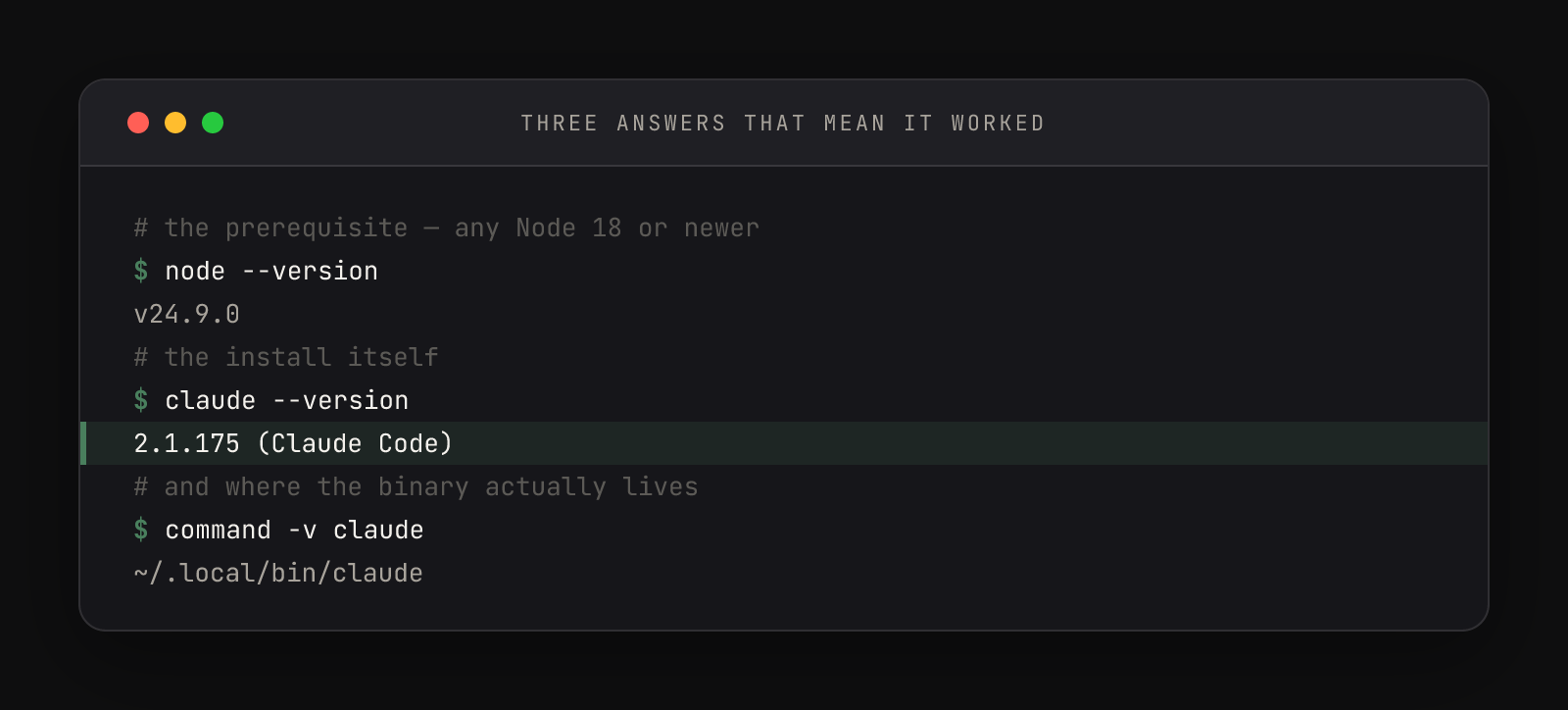
The middle line of that frame is the one to pin: 2.1.175 (Claude Code), the version current as of June 2026. The last line shows the binary's street address — ~/.local/bin/claude on a machine that used the native installer once; an npm install links the identical binary into npm's global bin instead. Same program, different shelf.
The first request
Here's that first request answered for real — a fresh practice folder holding three empty files:
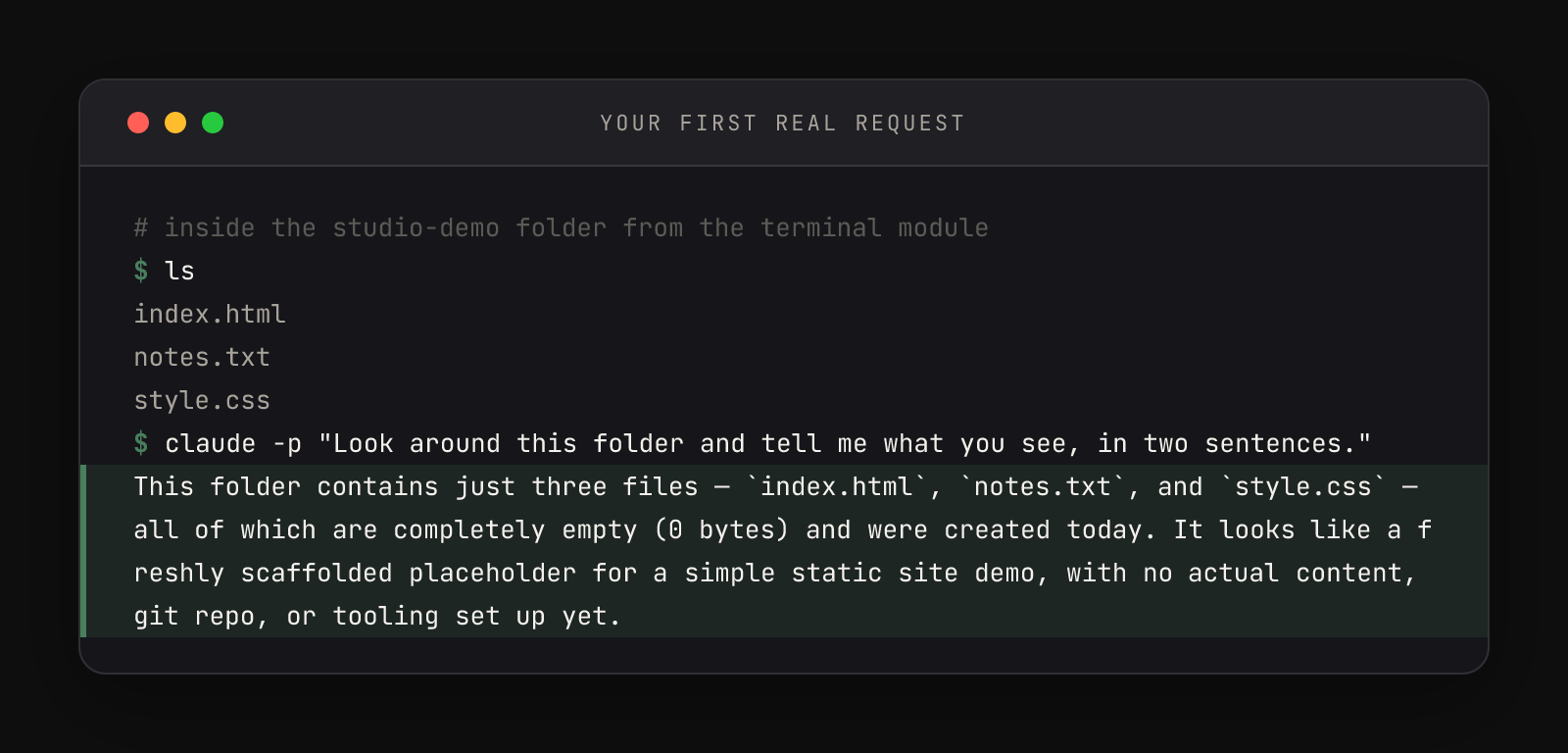
Two things in that frame are worth a pause. The answer demonstrates real inspection — Claude didn't parrot the filenames, it checked their sizes and dated them. And the command used claude -p, print mode: the one-shot sibling that answers and exits, handy for captures and scripts. An interactive session does the same work with the conversation left open.
A longer version of that prompt is worth keeping. Run it in any folder you're curious about, forever — it's the fastest way to feel what Claude Code actually is: a colleague with file access, not a chat window.
Look around this folder and tell me what you see.

Then suggest the first three things we should create to turn it into a
real project — and for each one, say why it comes before the others.Where things landed, and the billing trap
The install scattered a few addresses worth knowing. The binary you've located. Your login token went into the macOS Keychain, encrypted — which is why you won't log in again tomorrow. And ~/.claude/ now exists, holding the settings file that decides how every future session behaves — settings.json gets its own article.
The audit takes one command inside a session: /status names the active auth method. The fix is unset ANTHROPIC_API_KEY, plus deleting the export line from ~/.zshrc. To switch accounts outright, /login re-runs the browser flow anytime. And if you're still deciding which plan to log in with, the Pro vs Max arithmetic is its own article.
One honest divergence note: the docs' recommended install is the native one-liner (curl -fsSL https://claude.ai/install.sh | bash), which self-updates in the background. The npm route here exists because most web developers have Node anyway and updates stay explicit — npm install -g @anthropic-ai/claude-code@latest when you decide. Both paths produce the same binary; pick either, knowingly.
The full set of install methods, system requirements, and uninstall paths lives in the setup docs; the complete credential precedence list — what outranks what, and where tokens are stored on each platform — is in the authentication docs. And if this install is one stop on a longer route from blank Mac to working daily loop, the whole sequence is mapped at Track 1, the full map.