
Claude Code · 5 min
Claude Code permission modes, explained as a ladder
Six times in two minutes, Claude stops to ask: may I run this, may I edit that. You hired a builder and became its doorbell. The opposite ditch is worse — full autonomy in the only copy of a client's repo. Claude Code ships six permission modes between those ditches, and the choice compresses into one rule: autonomy scales with how recoverable the workspace is.
The six Claude Code permission modes, as a ladder
Permission modes decide what executes without a prompt — and what waits for your click. Don't memorize them from a blog post; the binary itself lists them:
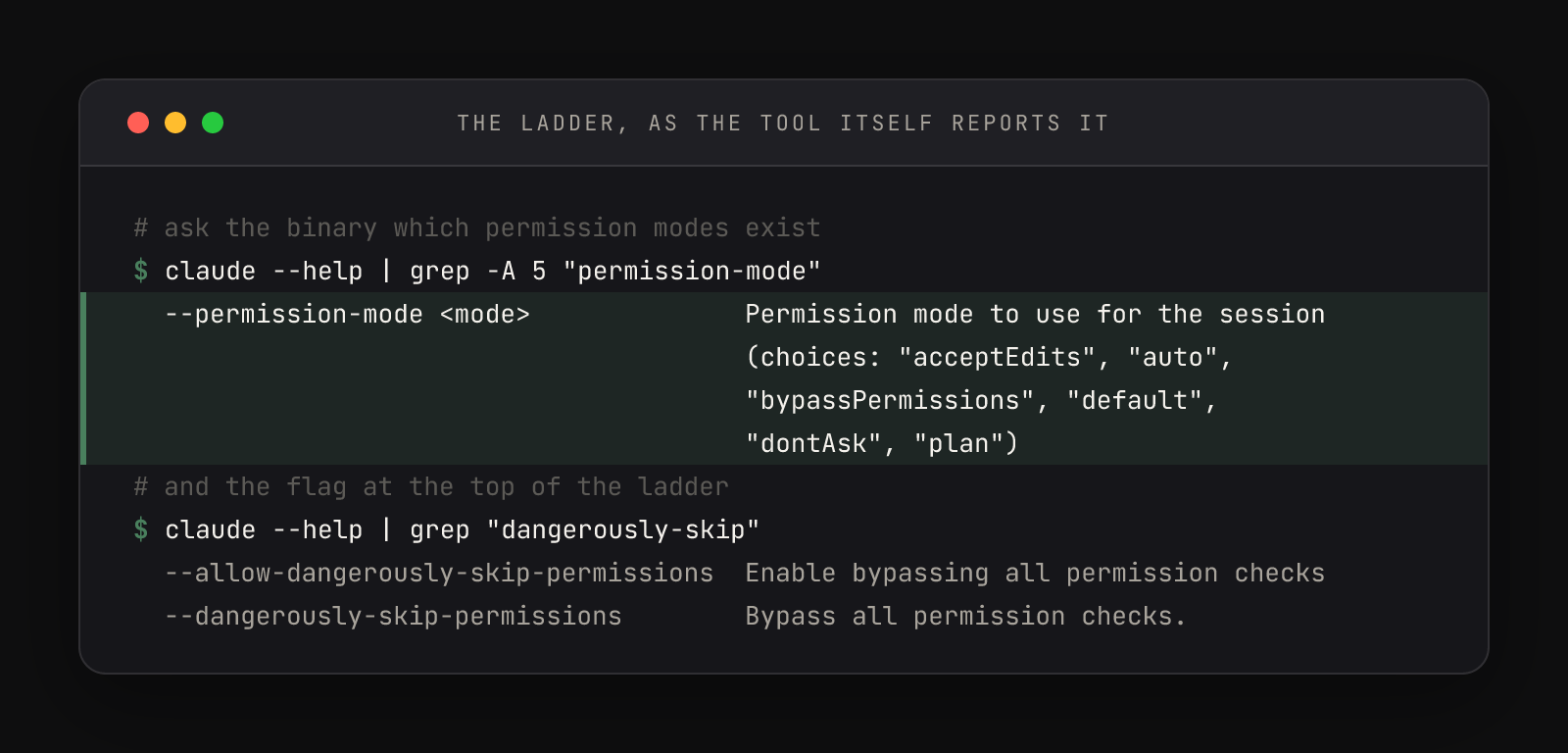
Arranged as a ladder, bottom (most oversight) to top (most autonomy):
| Rung | Mode | Runs without asking | Use it for |
|---|---|---|---|
| 1 | plan | Reads only — proposes changes, makes none | Kickoffs and unfamiliar repos |
| 2 | default | Reads only; every edit and command prompts | Client repos, anything without an undo |
| 3 | acceptEdits | Edits plus filesystem commands (mkdir, touch, mv, cp) inside the working directory | Tracked repos reviewed by git diff afterward |
| 4 | auto | Nearly everything, behind a background safety classifier (research preview) | The studio's resting default |
| 5 | bypassPermissions | Everything | Disposable worktrees only |
| — | dontAsk | Only pre-approved rules — everything else auto-denied | CI and scripts, not humans |
dontAsk sits off the ladder because it grants nothing — it removes the asking, denying whatever isn't whitelisted. The other five trade oversight for flow in honest increments.
A resting rung belongs in settings.json, and one line confirms what's set:
$ jq '.permissions' ~/.claude/settings.json
{
  "defaultMode": "auto"
}That's rung 4: actions run without prompting while a separate classifier model watches for anything that escalates beyond the request — production deploys, force pushes, curl | bash. It's a research preview, not a guarantee, which is why the ladder doesn't end there.
Feel the rungs change under you
Reading about rungs is one thing; feeling the prompts disappear is another. Five minutes in any scratch project makes the ladder concrete:
- 01Cycle the modes. Launch
claudeand press Shift+Tab repeatedly. The status bar walksdefault→acceptEdits(shown as⏵⏵ accept edits on) →plan→ back around. That keystroke is the whole switching UI. - 02Meet a permission prompt. In
defaultmode, ask for a small edit — a title tag added to an HTML file. Claude proposes the edit and waits. Read the prompt properly once; this is the consent screen the upper rungs remove. - 03Watch the same action sail through. Shift+Tab to
acceptEdits, then ask for a second edit. No prompt — the edit lands and the diff prints anyway. Autonomy didn't remove visibility, only the pause. - 04Set your resting rung. While you're learning, put
"defaultMode": "default"in~/.claude/settings.json. Promote yourself deliberately, rung by rung, as your recovery story improves.
The cycle itself is curated. Shift+Tab only walks the rungs your session has earned: auto joins when your account qualifies for the research preview, dontAsk never joins (it's set by flag, for scripts), and bypassPermissions only becomes reachable when you launch with the flag spelled like a warning label:
claude --dangerously-skip-permissionsYou can also start any session directly on a rung without touching settings: claude --permission-mode plan is a sensible standard opener for a repo you've never seen — reads only, proposals only, nothing changes until you approve.
When the scariest flag is the right one
The studio behind this article runs that flag every working day — and almost never types it. It's baked into the dev command, a shell function that launches every session through a Zellij layout. This is the actual fragment, from the studio's actual ~/.zshrc:
layout {
    tab name="$session_name" {
        pane command="zsh" {
            args "-ic" "cd '$target_dir' && claude --dangerously-skip-permissions --remote-control --name '$session_name'; exec zsh"
        }
    }
}
The flag is only safe there because of what surrounds it: dev-new puts that session inside a git worktree — a disposable copy of the repo at {project}@{branch}. If Claude wrecks the worktree, dev-done (or a plain delete) discards it and the main checkout never feels a thing. Maximum autonomy, minimum stakes — the worktree workflow is this rule expressed as plumbing, and it's why the scary flag stays boring in practice.
One test case makes the rule concrete: first session in a client's repo that has no git remote. No remote means no off-machine copy — a bad edit or a deleted file may be unrecoverable, so the workspace earns the bottom of the ladder no matter how good the model is. Even a worktree only protects what git already holds safe somewhere else. Push a remote, confirm a clean status — then promote yourself a rung.
Two caveats keep the rule from becoming bravado. Even rung 5 has circuit breakers: removals aimed at / or your home directory still prompt, explicit ask rules still fire, and the flag refuses to run as root. And a worktree bounds what happens to your repo, not your whole machine — the official docs draw the line at isolated containers and VMs, which is stricter than the worktree practice. If you accept the difference, accept it knowingly, on a backed-up machine.
The ladder, pocket-sized: plan to look, default to decide, acceptEdits to iterate, auto to flow, bypass to burn — but only what you can afford to burn.